Dual-Column DR Mechanical Systems: Manual vs Motorized
A dual-column digital radiography (DR) mechanical system must match the selected X-ray tube assembly, detector interfaces and positioning requirements. This guide compares Kianzee’s manual, semi-motorized, fully motorized and switchable manual/motorized configurations to help OEM buyers choose an appropriate mechanical arrangement.
This article covers mechanical structures and their positioning controls. The tube assembly, generator, detector and imaging software should be specified separately when discussing the project supply scope. Local assembly and installation must be carried out by appropriately qualified parties in accordance with local requirements.What Is the Difference Between the Four Configurations?
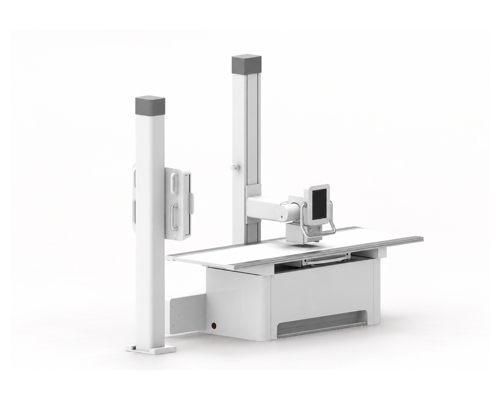
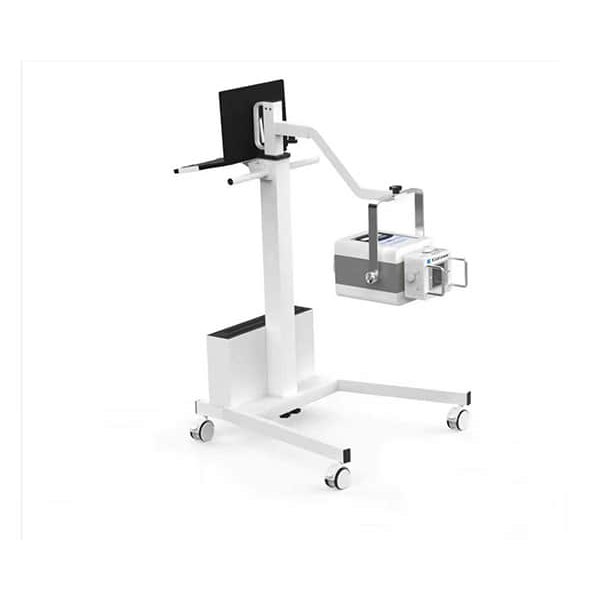
Dual-column DR mechanical structure. Image does not show every feature of all four configurations.
1.What Is the Difference Between the Four Configurations?
Manual: The Economical Entry-Level Configuration
The manual configuration relies on the operator to adjust positions by hand. Depending on the specified configuration, electromagnetic release allows the operator to unlock the relevant movement before repositioning. Electromagnetic release does not mean that the movement itself is motor-driven.
As the economical option among the four configurations, it suits projects that prioritize the initial budget and accept manual positioning.
Semi-Motorized: A Combination of Powered and Manual Movements
The semi-motorized configuration uses powered control for selected adjustments while retaining manual operation for other movements or rotations. The configuration described in the current brochure includes:
Motorized vertical travel of the tube support.
Motorized vertical travel of the upright detector stand.
The remaining movements and rotations are manually operated as specified for this configuration, providing a balance between cost and operating convenience.
Fully Motorized: Less Manual Repositioning
The fully motorized configuration builds on the semi-motorized version by adding powered control to the remaining manual positioning and rotation movements. The operator controls the relevant adjustments through the control interface, reducing the need to push or rotate the structure by hand.
“Fully motorized” describes how the movements are driven. It does not mean that positioning takes place without operator control or that the entire workflow is automatic.
Switchable Manual/Motorized: Powered Positioning with Manual Adjustment Flexibility
The switchable configuration adds manual/motorized mode selection to the fully motorized system. Powered control can be used when required. For manual adjustment, the motor drive can be disengaged through the designed switching mechanism so that the operator can reposition the structure by hand.
This option suits projects that require both operating methods. For small positional adjustments, the operator can choose manual control to regulate the adjustment directly. This provides flexibility; it does not imply that manual positioning is more accurate than powered positioning under all conditions.
With the additional switching function, this is the highest-cost option among the four configurations.
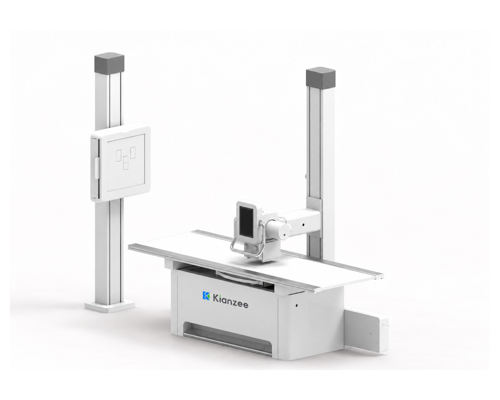
Dual-column DR mechanical system — an alternative view.
2. Column-Mounted LCD Control Panel
Motorized configurations include a column-mounted LCD control panel for the relevant powered movements. The assembly combines a display with a surrounding operating handle, allowing the operator to view control information and make adjustments.
The LCD is a mechanical-system control interface, not a diagnostic monitor for viewing X-ray images. The interface and available controls depend on the selected configuration.
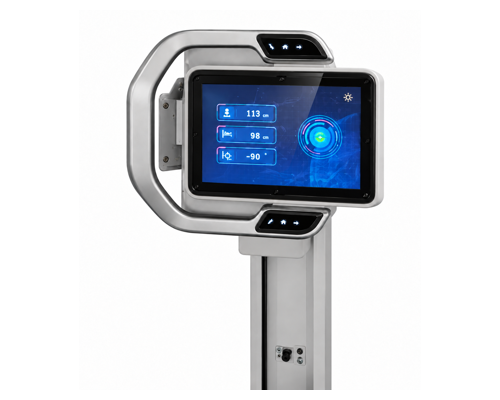
Column-mounted LCD control panel. Displayed values illustrate the interface only.
3. Matching the Tube Assembly and Detector Interfaces
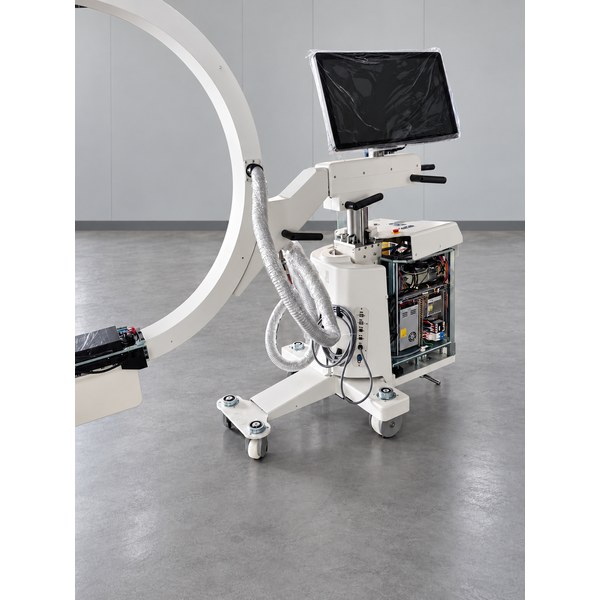
Assembly of a dual-column DR mechanical system differs from that of a C-arm structure and does not involve the same C-arm counterbalancing arrangement. Initial interface review focuses mainly on the tube assembly dimensions and the detector format and mounting interfaces.
Providing the tube assembly outline and mounting dimensions, together with the detector specifications and interface information, helps confirm compatibility before assembly and reduces avoidable fitting adjustments.
4. Choose According to Operating Requirements and Budget
The configurations increase in cost in the following order:
Manual → Semi-Motorized → Fully Motorized → Switchable Manual/Motorized.
Choose manual operation when initial cost is the priority; semi-motorized operation when selected powered adjustments are sufficient; fully motorized operation when reducing manual repositioning is important; and switchable operation when both powered control and manual fine adjustment are required.
Please refer to the corresponding specification sheet for the travel ranges, load ratings and control functions of each configuration.
5. Discuss Your DR Mechanical System Requirements with Kianzee
Please send Kianzee your required quantity, preferred operating configuration, tube assembly outline and mounting dimensions, and detector specifications and interfaces. We can then review the appropriate mechanical configuration and mounting requirements with you.
View our dual-column DR mechanical system for product details.
Giselle Kong
Email: [email protected]
WhatsApp: +86 158 5291 7337
Website: www.kianzee.com
Related Guide
Portable X-Ray Stands: Simple Setup and Buying Considerations